
Bot
One bot you choose. Press to call it, or just open its chat. A long press does the other one.
 New · Free
Grok Bot for Stream Deck · The Lab
Every bot gets a key with its own avatar and a live status. See who's working and who's waiting on you, then call them, mute and hang up without touching the mouse.
v3.1.3 · 300 KB · macOS · Windows (beta) · Stream Deck 7.1 or newer
The keys
Drag the keys you want onto your deck. Bot keys draw the same avatar Grok Bot shows in its sidebar, with the same shape and colour.
One bot you choose. Press to call it, or just open its chat. A long press does the other one.
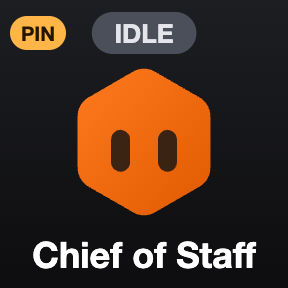
Fills itself with your bots in sidebar order. Add as many as you like. Long press to pin a favourite to the front.

More bots than keys? Page through them. The key shows where you are. Long press jumps back to page 1.

Starts a voice call with the bot that's open. Bot keys can call their bot directly.
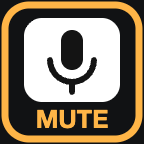

Toggles your mic in the call. The key shows MUTE or MUTED to match.

Hangs up. In-call keys work without pulling Grok Bot to the front.


Open search, start a new bot, or dictate into the open chat. Plus keys for Grok Bot's usage and settings pages.
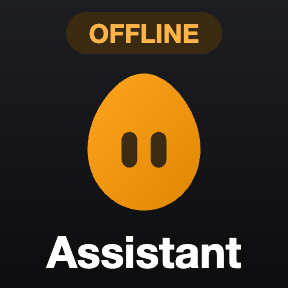
Grok Bot closed? Keys say OFFLINE. A missing bot or a missing permission shows a clear warning instead of failing quietly.
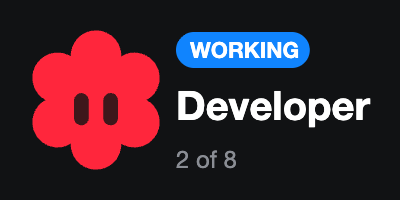
Turn the dial to browse your bots on the touch strip, press to open one, hold to call it.
Live status
The plugin reads the status straight from the Grok Bot app on your computer, every couple of seconds.
Why I built it
I live in Grok Bot all day. Now every bot sits on a key: I see who's working, who's waiting on me, and I call them with one press.
Pepe Figueroa · video engineer
Needs the Grok Bot desktop app, installed and signed in on the same computer, and Stream Deck 7.1 or newer.
macOS 12+ · Windows 10+ (beta) · 300 KB
Free. If it saves you time, buy me a coffee.
Support
The plugin reads three small files the Grok Bot app keeps on your computer: your bot list (names, avatars, unread and activity times), which bot is open, and which bots you pinned. It never reads your chats and sends nothing anywhere.
Found a bug or have an idea? Email me with your computer, Stream Deck model and what happened: contact@pepefigueroa.com
Made in The Lab · Pepe Figueroa
It's built for Windows too, but it hasn't been tested on a PC yet, so it's a beta there. If you try it, email me what worked and what didn't. The plugin's log file in its folder helps.
Turn on Elgato Stream Deck in System Settings › Privacy & Security › Accessibility, then press the key again. Grok Bot has no shortcuts for calls, so the plugin presses its buttons for you, and macOS asks first.
They only work while a voice call is on. Start one with Talk or a Bot key first.
That bot was deleted or belongs to another account. Open the key's settings in Stream Deck and pick the bot again.
Grok Bot is closed, and it only updates its bot list while it's running. Open Grok Bot and the status comes back on its own.
It can. If Grok Bot changes how it stores its bot list or renames its buttons, statuses or calls may stop working until I update the plugin. Opening bots keeps working.
In Stream Deck, open Preferences › Plugins, select Grok Bot and click the minus button.
No. It's a free, unofficial community plugin. "Grok" and the Grok Bot avatars belong to xAI. It isn't made, endorsed or supported by xAI or Elgato.